
Ensure you can browse to your heart’s content while remaining as anonymous as possible
Not too long ago there was a big fallout when WhatsApp proposed an update to their privacy policy which people believed would allow them to read their messages. On the back of this many people including big names such as Elon Musk encouraged everyone to boycott WhatsApp and download the privacy-focused Signal app.
Despite the privacy policy from WhatsApp being misunderstood and wouldn’t actually allow them to read anything you sent the very notion of a loss of privacy lead to the Signal going from an app that wasn’t in the top 1000 downloaded apps to the number one downloaded app in January.
Now I actually found this kind of funny as there were many people both who knew what the issue was with the WhatsApp privacy policy and who didn’t who were shouting from the rooftops about privacy and anonymity being so important online yet were using the terms interchangeably. Now I am a huge fan of both being private and anonymous but they are by far not the same and depending on what you want and do on the internet you may want one and not the other.
In this post I’ll explain the difference and give you some of the best ways to stay as anonymous as possible when online.
Privacy vs Anonymity
The internet is a tool, a powerful one which people often dismissed as just being something they can use to kill a few minutes by scrolling through Instagram and Facebook but even if that’s all you want to use the greatest educational tool in human history for you still want to be safe. That said depending on what you are going to do online you’ll want to be sure that what your doing either protects your data or your identity.
Here is where the difference is if you want to use Facebook and Instagram, buy things online or have an actual presence online then you want to be private but not anonymous. You want to be able to connect to a public WIFI and stream a live video or upload photos to your followers or hell just watch a video on Youtube but you want to make sure your data is yours. You don’t want a malicious hacker gaining access to your passwords or other sensitive data.

On the other hand if you want to search for something maybe you don’t want anyone to know about, browse the dark web, create a new online persona for yourself or any number of things then you’ll want to do that anonymously. Now i’m not saying being anonymous online is exclusively for nefarious purposes no, I regularly use the darknet as a security expert and I like to know I don’t leave any traces of myself there or that when using it no one knows my real name, address or any details whatsoever.
Basically, you can explain it that privacy is you in your own home doing your own thing, people know you are in such as your neighbors or friends and people, in general, know where you live like family or work but they don’t know what you’re doing while you’re in. That’s your business. Anonymity is the flipside of that coin. People may know that someone is sitting in a house watching Netflix but they don’t know your name, gender, address or anything else for that matter.
Use TOR
The TOR browser has an infamous reputation as being the way black hat hackers enter the mysterious world of the dark web and while this is true it’s also a super-effective browser that routes your network traffic through different routers to protect your anonymity. This process is different to how a VPN does it but there are similarities such as hiding your location and encrypting your data but what’s different is the TOR browser only encrypts your data while within its network.
TOR will route your data through what’s called TOR nodes to hide your online activity but will not encrypt your data when entering or leaving the TOR network meaning it’s not a free alternative to a VPN but it does hide your identity and data very well.
TOR is an excellent tool when you just want to browse the web without needing to log into Google or have a multitude of tech companies track your data.
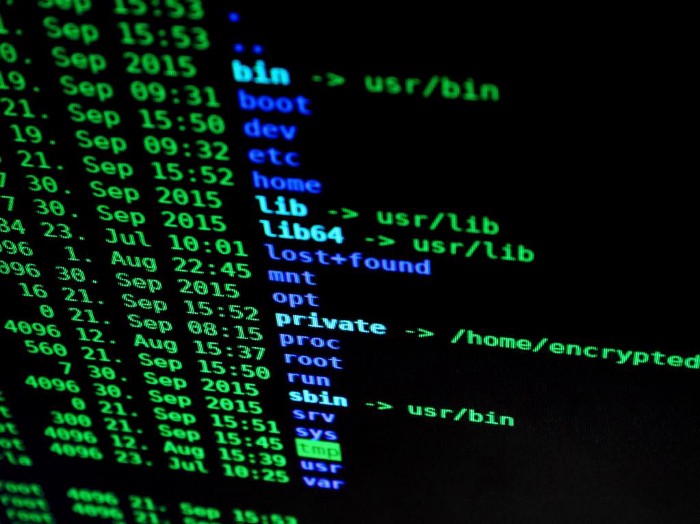
Being anonymous requires a few different tools and actions and TOR is one of them.
If TOR is not to your liking then there are alternatives such as the Brave and Waterfox browsers. Both are excellent and can easily replace Chrome, firefox or safari as your everyday browser.
Use a search engine that doesn’t track you or collect data
Google is the best search engine hands down. I’m not disputing that, it’s fast, has access to fantastic search algorithms and it’s basically idiot-proof. All Google asks for this is the ability to track you and use your data. There has been a huge issue with big tech for a while now and how much information they actually collect and use and in what way.
No matter what your political leanings are there are always rumors (as far as I know they have not been proven as of yet) that certain sites, opinions, pages etc do not show up very high in their rankings despite being insanely popular. No matter where you sit on the political spectrum looking at this with an unbiased eye you’re going to see a problem.
This is why search engines such as DuckDuckGo, Qwant and MetaGer have become so popular in the past few years. These kinds of search engines are growing in popularity and will hopefully become a lot more mainstream sooner rather than later.
My recommendation is DuckDuckGo as it is the default browser for TOR and has a very Google-esc user interface so it shouldn’t cause that much of a culture shock to most users. DuckDuckGo does not track you, save your data or hound you with specific ads. It does save searches however these are not linked to any individual and while it does have ads they are not right at the top of every single search. Also while the results are not as good as Google they do use Wikipedia, Bing, Oath and over 400 other sources so any search you make is going to get great results.
Use a privacy-focused operating system
This is where we go from a privacy-focused individual to someone who wants to ensure that they leave no digital footprint that can be traced back to them. To a layman installing a new OS on their computer could seem a little extreme but there are ways to use a different operating system without overwriting Windows or IOS.
Personally, when needed I use Tails which is a Linux-based operating system known for its anonymity. Tails is known as an amnesic operating system meaning it completely forgets everything when switched off and depending on how it is set up will only use your computer’s RAM without trading any other data that can be used to identify you.

Tails also comes with TOR and many other privacy and anonymity-focused programs pre-installed. There are a few others such as Kodachi and QubesOS however as a personal preference I prefer Tails.
So you don’t have to wipe your computer’s operating system to use these id recommend making them onto a bootable USB drive or installing Virtual Box and running them from there.
I will add a post in the future about how to make a bootable USB operating system however if you want to go this far there are plenty of awesome Youtubers who have videos showing how this is done(honestly it’s easy and can be done in five minutes).
Use a secure email Service
The most popular email providers do not have the best history with privacy, security or just plain respecting their users. Google, Microsoft, and Yahoo don’t use end-to-end encryption meaning that your emails are not secure and it honestly still amazes me that there are people who still don’t know that Google scans your emails for keywords in order to provide more personalized ads.
Thankfully there are other alternatives and in my opinion the best of which is ProtonMail. There are a few alternates you can use but ProtonMail is by far the best as it uses end-to-end encryption as standard and its user interface will be familiar to anyone who has used Gmail or outlook before.

As an added bonus ProtonMail also has its own dark web login site so for those who use the dark web it’s a necessity.
Use a pseudo-identity
Again this one is going above and beyond really only applies if you’re using the internet for a sensitive job such as ethical hacking, journalism, activism etc(i do not in any way support these tactics being used for any nefarious purposes).
A fake identity is necessary if you want to be truly unidentifiable on the web when used in conjunction with the previous points in this post. If you want to speak on forums or interact with people in general but need to ensure signing up somewhere with your own name or email won’t lead someone back to your Facebook page or give your email address then a fake identity is essential.
There are plenty of sites out there that can create a fake identity for you to use online, when I first went on the dark web I used a site that creates identities for Dungeons and Dragons characters. Of Course, you can just make up your own but online sites provide everything you may need such as a physical address and even social security number.
Just a start
If you want to stay anonymous online then the above steps will ensure you can’t be traced by all but the best and most well-equipped and determined hackers and state agencies in the world.
There’s always more you can do such as making purchases using cryptocurrency only but that requires its own post all on its own.
Let me know in the comments which of these you’ll be using and why you think it’s important to stay anonymous online.


 V3ndta Cybersecurity
Leave a comment